MetaWin Mobile: using the casino on iPhone and Android
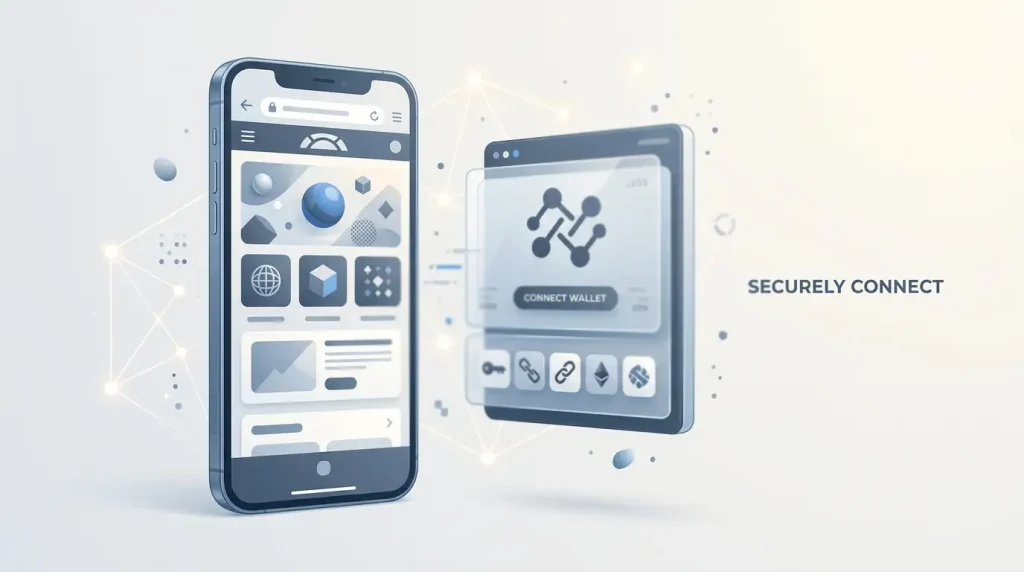
Table of Contents
- MetaWin works as a mobile website on both major phone platforms
- The key mobile step is moving safely between browser and wallet
- A browser casino and a native app solve different problems
- Crypto payments need the same network discipline on a smaller screen
- The game catalogue stays broad, but touch controls change the experience
- Discord and email remain the account-help routes on mobile
- MetaWin mobile FAQ
- MetaWin mobile is a browser-and-wallet experience rather than an app install
Section element
Browser-based access
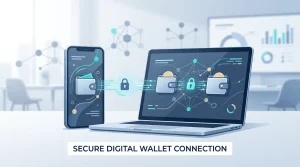
MetaWin runs through the mobile browser on iOS and Android. There is no native store app to install, so the important mobile experience is the handoff between the browser, your wallet and the payment network rather than an app download.
Section element
- PlatformsiOS and Android browsers
- InstallNo native store app required
- Wallet accessMetaMask, Coinbase Wallet, WalletConnect
- SupportDiscord and email
MetaWin works as a mobile website on both major phone platforms
You can open MetaWin in a mobile browser on iPhone or Android without installing a native app from an app store. That makes access straightforward: the same account and wallet choices remain relevant, but the browser becomes the central interface.
iPhone
Use the mobile browser, then move into a compatible wallet app when a wallet connection or transaction signature needs approval.
Android
The same browser-first pattern applies. Wallet apps can handle connection and signing requests without requiring a separate MetaWin APK.
No separate store install
You do not need to manage another casino app update. The trade-off is that browser tabs, wallet-app handoffs and permissions become part of the day-to-day mobile flow.
If you are setting up access for the first time, the MetaWin account guide explains the difference between wallet login and email/social access before you start moving between apps.
The key mobile step is moving safely between browser and wallet
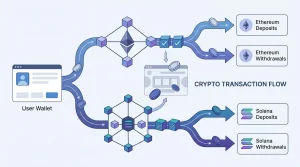
On desktop, a browser extension can keep the wallet prompt close to the casino tab. On a phone, the experience is often more visibly split: you start in the browser, switch to the wallet app to approve a connection or transaction, and then return to the browser.
- Open MetaWin in the browser and choose the wallet connection option you already use.
- If the wallet opens separately, verify that the request is a connection or the transaction you intended to approve.
- Return to the browser after approval and confirm that the account state reflects the action you just took.
- For a payment, compare the destination asset and network before signing. A mistaken crypto transfer cannot simply be reversed like a card charge.
MetaWin supports MetaMask and Coinbase Wallet directly and more than 300 wallets through WalletConnect, so mobile access is not tied to one wallet vendor.
A browser casino and a native app solve different problems
| Mobile browser | Native app model |
|---|---|
| Open the service through a web browser | Install software from a store or package |
| Wallet handoffs can move between browser and wallet app | Wallet integration may happen inside or alongside the installed app |
| No separate casino-app update cycle | App updates are managed as installed software |
| Browser privacy and site-data controls remain relevant | App permissions and device settings become more prominent |
MetaWin follows the browser column. That is neither inherently better nor worse; it simply changes what you need to manage. Bookmark hygiene, browser sessions and wallet handoffs matter more than installation files.
Practical advantages
- No dedicated store download.
- The same browser-based service can be reached from iOS and Android.
- Wallet choice remains broad through WalletConnect.
Points to watch
- Switching between apps can make signing prompts easier to lose track of.
- Mobile networks can change from Wi-Fi to cellular mid-session.
- A small screen gives you less room to compare wallet address, asset and network details.
Crypto payments need the same network discipline on a smaller screen
MetaWin supports a broad crypto set including ETH, BTC, SOL, USDC, USDT, DAI, LTC, DOGE, MATIC (POL), BNB, BCH, XRP, TRX and EOS. The browser being mobile does not change the core payment rule: the asset and network still need to match the destination details shown in the payment flow.
- Read the deposit address and network before opening the wallet confirmation screen.
- Do not assume a token ticker alone identifies the correct network.
- Keep the transaction hash after sending; it is the cleanest reference if a transfer takes longer than expected.
- Remember that blockchain confirmation time is separate from casino-side processing.
For the actual coin list, fees, withdrawal minimums and fiat purchase route, use the MetaWin payments guide. Those details belong to the payment method, not to the phone itself.
The game catalogue stays broad, but touch controls change the experience
MetaWin’s casino catalogue includes thousands of games across slots, live products, instant-win titles and MetaWin Originals. On mobile, the catalogue is less about whether a title exists and more about how well its layout fits a touch screen.
- Slots
- More than 2,700 slots are cited across published reviews, giving mobile users a large category to browse.
- Live casino
- Evolution, Ezugi and Pragmatic Play Live are among the named live providers, covering roulette, blackjack, baccarat and game shows.
- Originals
- MetaWin Originals add provably-fair and Zero House Edge formats alongside third-party games.
If game type matters more than device type, the MetaWin games guide separates third-party slots, live casino, Originals and provably-fair mechanics in more detail.
Discord and email remain the account-help routes on mobile
Reviews list Discord and email as support channels and do not list live chat. Both are easy to reach from a phone, but keep security boundaries clear: an account-support conversation should never require your wallet recovery phrase or private key.
Discord
Convenient on mobile for community discussion and basic guidance. Keep sensitive account material out of public channels.
Better for a chronological account case where you may need to preserve transaction references or attachments.
Mobile troubleshooting is easier when the browser, wallet and blockchain step are treated separately. A browser can load the casino correctly while the wallet handoff still fails, and a wallet can approve a request while the later network transaction remains pending. Before repeating a transfer, check which stage actually stopped. Repeating a payment because a page appears slow can create a second transaction rather than fix the first one.
Small screens also make address and network checks more important, not less. Compare the destination address before sending, confirm the intended network, and keep the transaction identifier after broadcast. If you switch between the browser and a wallet app, return to the same session instead of starting a second login flow unless the first one has clearly ended. These habits do not change MetaWin’s payment rules; they simply reduce avoidable confusion created by moving between two apps or tabs on a phone.
For support, include the transaction identifier and a concise description of the step that failed, but keep wallet secrets out of the message. That gives support enough context to distinguish a browser, account or network issue without exposing credentials.
When a mobile issue is actually a sign-in or verification issue, move back to the account and wallet onboarding guide rather than treating it as a device problem.
MetaWin mobile FAQ
Does MetaWin work on iPhone?
Yes. MetaWin is available through the mobile web browser on iOS.
Does MetaWin work on Android?
Yes. Android users can access MetaWin through the browser as well.
Is there a native MetaWin app?
MetaWin is browser-based and does not use a native store app. No APK is required for Android access.
Can I connect MetaMask from a phone?
MetaMask is a supported wallet option. On mobile, the connection can involve switching between the browser and the wallet app to approve the request.
What support can I use from mobile?
Reviews list Discord and email as MetaWin support channels. Live chat is not listed.
MetaWin mobile is a browser-and-wallet experience rather than an app install
On iPhone and Android, MetaWin’s mobile experience is defined by browser access, wallet handoffs and crypto-payment checks. That keeps installation simple and preserves a wide wallet choice, but it also means you need to pay close attention when moving between the browser and a wallet app. For regular mobile use, the most useful habits are keeping one active browser session, checking the network before signing and treating every wallet approval as a distinct action.